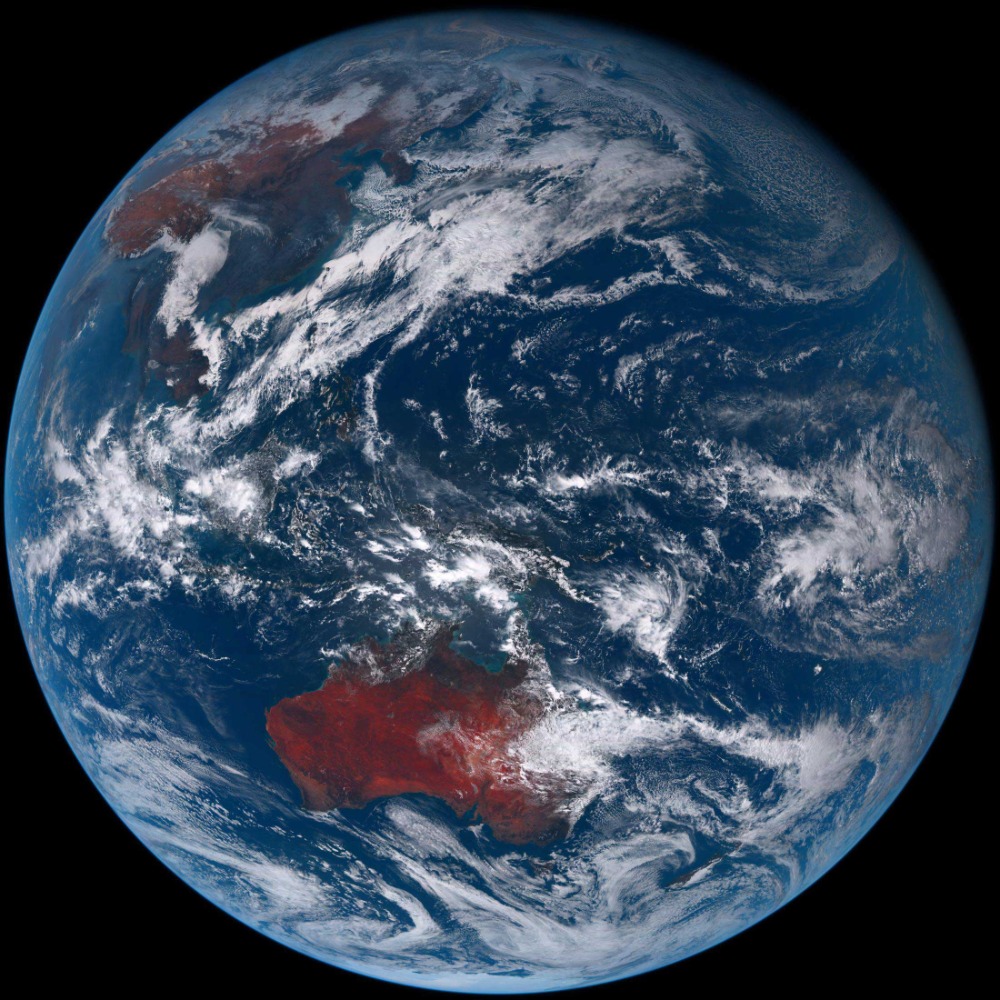
Himawari.js 是一款强大的工具,能够帮助用户从 Himawari-8 卫星下载地球实时图像。无论是获取最新的地球快照,还是制作震撼的24小时延时视频,Himawari.js 都能轻松实现。本文将为你详细介绍 Himawari.js 的高级用法,让你从基础图像下载逐步掌握延时视频制作技巧。
快速入门:一键获取地球实时图像
想要快速获取地球实时图像,Himawari.js 提供了极其简单的方法。只需几行代码,就能将最新的地球照片保存到你的设备中。
在项目的 examples/basic.js 文件中,展示了基础的图像下载功能。通过设置 zoom 参数控制图像清晰度,outfile 参数指定保存路径,date 参数设置为 'latest' 即可获取最新的地球图像。
var himawari = require('../index');
himawari({
  zoom: 1,
  outfile: process.env.HOME + '/Desktop/earth.jpg',
  date: 'latest',
  success: function () {
    console.log("Complete!");
    process.exit();
  },
  chunk: function (info) {
    console.log('COMPLETE', (info.part+'/'+info.total), '(' + ((info.part / info.total)*100).toFixed(0)+'%' + ')');
  }
});
高级技巧:制作24小时延时视频
除了基础的图像下载,Himawari.js 还能制作令人惊叹的24小时地球延时视频。这需要依次下载不同时间点的图像,然后将它们合成为视频。
步骤一:设置时间参数
在 examples/video.js 中,首先需要设置时间分辨率和起始日期。时间分辨率决定了视频的流畅度,起始日期则确定了视频的开始时间。
// Time resolution (in minutes)
var resolution = 10;
// The start date
var start = "Mon Feb 08 2016 14:49:12 GMT-0800 (PST)";
// 24 Hours in a day, 60 minutes per hour, divided by time resolution
var intervals = (24 * 60) / resolution;
步骤二:生成日期列表
根据设置的时间参数,生成24小时内的所有日期时间点,确保能够获取到足够的图像帧。
// Create a list of dates starting from `start` and decrement each `interval` by the `resolution`
for (var i = 0; i < intervals; i++) {
  var date = new Date(start);
  date.setMinutes(minutes);
  dates.push(date);
  minutes -= resolution;
}
步骤三:下载图像帧
使用 async.eachSeries 方法依次下载每个时间点的地球图像,并保存到指定的文件夹中。
// Request an image from each date
async.eachSeries(dates, function (date, cb) {
  console.log('Time Interval', interval+'/'+dates.length);
  interval++;
  var outfile = path.join(out, 'earth-' + date.getTime() + '.jpg');
  if (fs.existsSync(outfile)) {
    console.log(outfile + ' exists, skipping');
    return cb();
  }
  // Download that shiz
  himawari({
    outfile: outfile,
    zoom: 1,
    date: date,
    chunk: function (info) {
      console.log('  Part ' + info.part + '/' + info.total);
    },
    success: function () { return cb(); },
    error: function (err) { return cb(err); }
  });
}, function (err, res) {
  // 视频合成代码将在这里执行
});
步骤四:合成延时视频
下载完成所有图像帧后,使用 ffmpeg 将图像合成为视频文件,一个精彩的24小时地球延时视频就制作完成了。
// Pipe all images to ffmpeg and create a video. Simple as that!
exec('cat ' + path.join(out, '*.jpg') + ' | ffmpeg -f image2pipe -vcodec mjpeg -analyzeduration 100M -probesize 100M -i - -vcodec libx264 ' + video, function (err, res) {
  if (err) {
    console.error(err);
  } else {
    console.log('File saved to', video);
  }
});
总结
Himawari.js 为用户提供了从 Himawari-8 卫星获取地球图像的便捷方式,无论是基础的图像下载还是高级的延时视频制作,都能通过简单的配置实现。希望本文的介绍能够帮助你更好地利用 Himawari.js,探索地球的美丽与奥秘。
要开始使用 Himawari.js,你可以通过以下命令克隆仓库:
git clone https://gitcode.com/gh_mirrors/hi/himawari.js
然后根据项目中的示例代码,快速上手各种功能。祝你使用愉快!






 400 186 1886